Maryna Brodina
Posts: 0
Joined: Thu Apr 05, 2012 7:27 am

Components not showing in builder

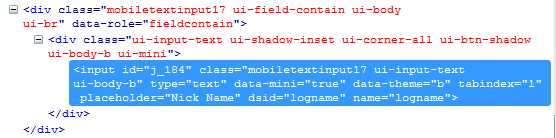
The issue is with your custom theme, if you'll switch to JQM theme for example there won't be such problem. On our side some part of code generation was changed and now Inputs are wrapped with two divs (see screenshot). You would need to check and edit CSS in your custom theme.
Image

Michael4771079
Posts: 0
Joined: Sat Jul 21, 2012 2:03 pm

Components not showing in builder

Hi Marina,
If I reinstall theme css back to orig, will that work?

Maryna Brodina
Posts: 0
Joined: Thu Apr 05, 2012 7:27 am

Components not showing in builder

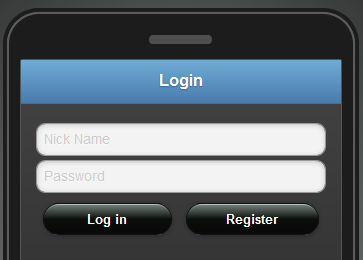
Sorry, could you clarify what do you mean on " back to orig"? Here is how it looks for me with jqm theme.

Image

Michael4771079
Posts: 0
Joined: Sat Jul 21, 2012 2:03 pm

Components not showing in builder

what I mean is, somehow the theme changed since update, if I replace the theme css to what I had uploaded originally, will this fix this issue

Michael4771079
Posts: 0
Joined: Sat Jul 21, 2012 2:03 pm

Components not showing in builder

Hi Marina
I tried the above doesn't work,

I need to keep the header and header buttons, footer, and backround from the theme, would it be possible to remove or comment out the css thats causing a problem with textinputs

Kateryna Grynko
Posts: 0
Joined: Thu Nov 15, 2012 9:13 am

Components not showing in builder

Hi Michael,

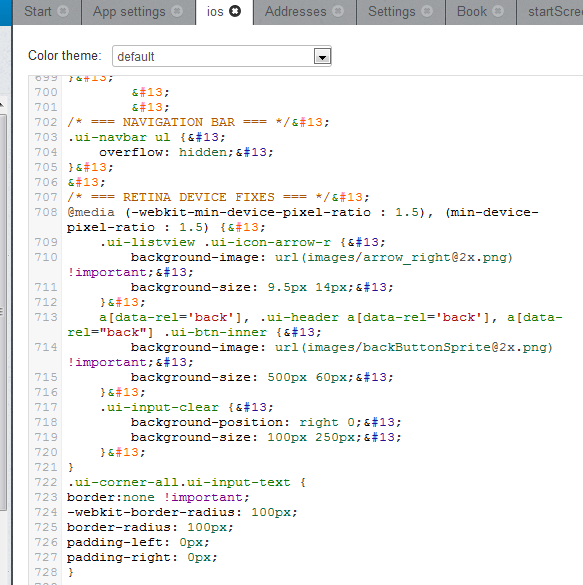
To prevent duplicating textinputs you would need to add the following code in the end of your ios theme:

code.ui-corner-all.ui-input-text {
border:none !important;
-webkit-border-radius: 100px;
border-radius: 100px;
padding-left: 0px;
padding-right: 0px;
}/code

Michael4771079
Posts: 0
Joined: Sat Jul 21, 2012 2:03 pm

Components not showing in builder

Hi Katya, added the above code and the ios theme is gone,
s/s attached

Image

Image

Kateryna Grynko
Posts: 0
Joined: Thu Nov 15, 2012 9:13 am

Components not showing in builder

Michael,

After importing app from backup, extra code was added in CSS of iOS theme:code
/code
You would need to delete all this lines. To make the process easier you can copy CSS code to any text editor and use "replace" function.

Michael4771079
Posts: 0
Joined: Sat Jul 21, 2012 2:03 pm

Components not showing in builder

Your cool people!
all sorted on this issue, double textinputs are gone,

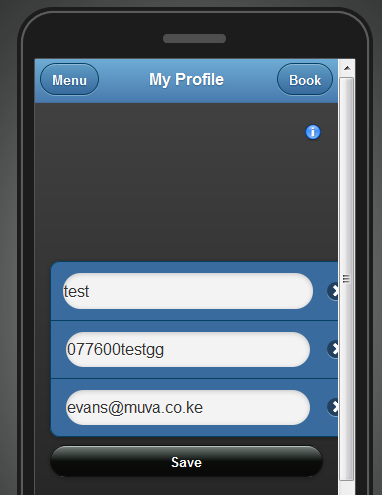
but the position of list in screeshot above is still missplaced
thank you and the team very much.

Kateryna Grynko
Posts: 0
Joined: Thu Nov 15, 2012 9:13 am

Components not showing in builder

Mobile List is shifted to left and is in Grid. You can place List outside of Grid cell and delete the Grid component.

Return to “Issues”