Buttons' text, Options... in uppercase?
Posted: Tue Oct 09, 2012 3:01 am
Can you show the mapping and code?
Catch up wih the Appery.io community on our forum. Here you'll find information on the lastest questions and issues Appery.io developers are discussing.
https://forum.appery.io/
Can you show the mapping and code?
I am using the code you provided above.
precode
if (value == 'false'){
element.hide();
}
/code/pre
Here is an image of the mapping. I mapped the same value to a label component to be sure it was 'false'
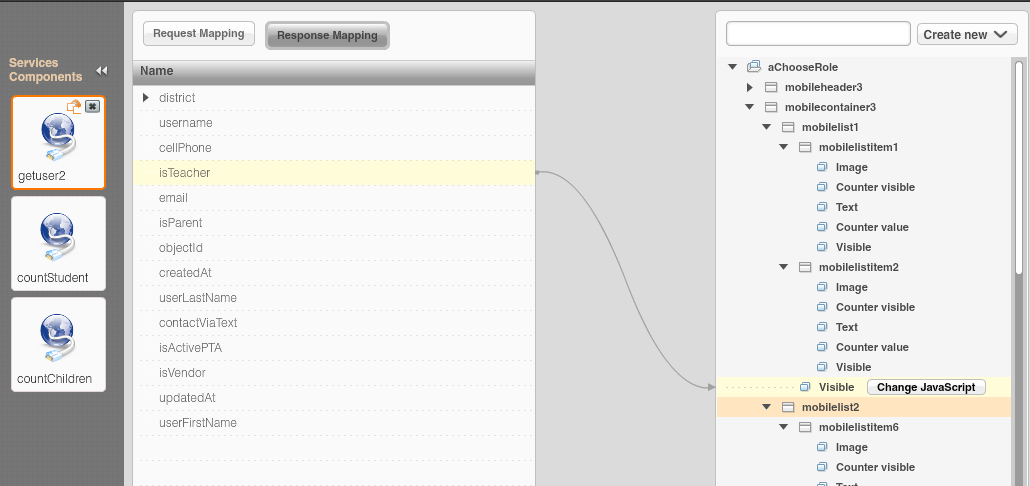
What is the value of 'isTeacher'? Maybe it's not false?
Do:
console.log(isTeacher);
For some reason the console.log isn't working for me but I mapped the (isTeacher) to a label and loaded the page to see what the value was. It is showing false. See attached image. 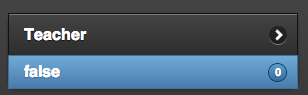
Ah..try mapping to 'mobilelist1' and use the same code. 'element' -- it has to be the list itself.
That did the trick. Thanks Max!