save to db
Posted: Thu Mar 28, 2013 9:59 pm
Did you map Response parameter "addresses" to a locaStorage variable "variable_name"? What doesn't work exactly?
Catch up wih the Appery.io community on our forum. Here you'll find information on the lastest questions and issues Appery.io developers are discussing.
https://forum.appery.io/
Did you map Response parameter "addresses" to a locaStorage variable "variable_name"? What doesn't work exactly?
Did you map Response parameter "addresses" to a locaStorage variable "variable_name"? What doesn't work exactly?
Thanks Katya,
I added "variable_name" and followed to detail above, I called the service but the addresses for the user I logged in as the addresses where not loaded to selectmenu and weren't in localstorage in the dom, I don't know if other events are affecting the service call, or why it doesnt work in my app.
Hi Michael. On page Profile for user_read service on Request tab add mapping from token to X-Tiggzi-Session-Token and from userId to object_id
Cheers Marina,
But I don't have user_read service in profile screen,
I have user_read on address screen which the mapping from token to X-Tiggzi-Session-Token and from userId to object_id is set,
these are the screen shots
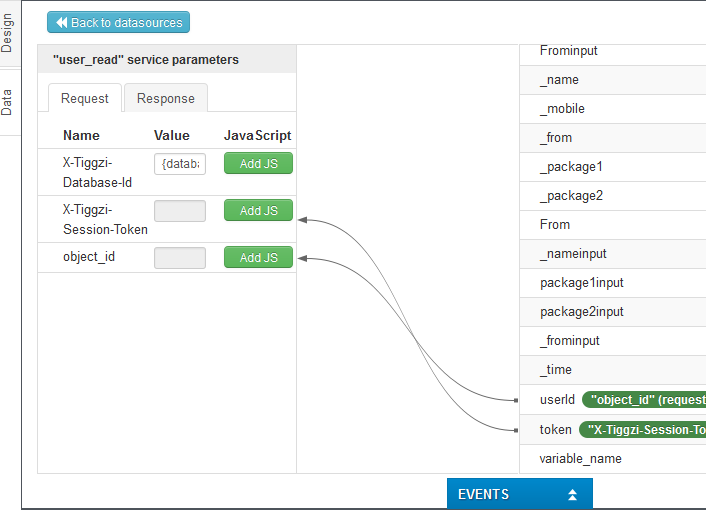
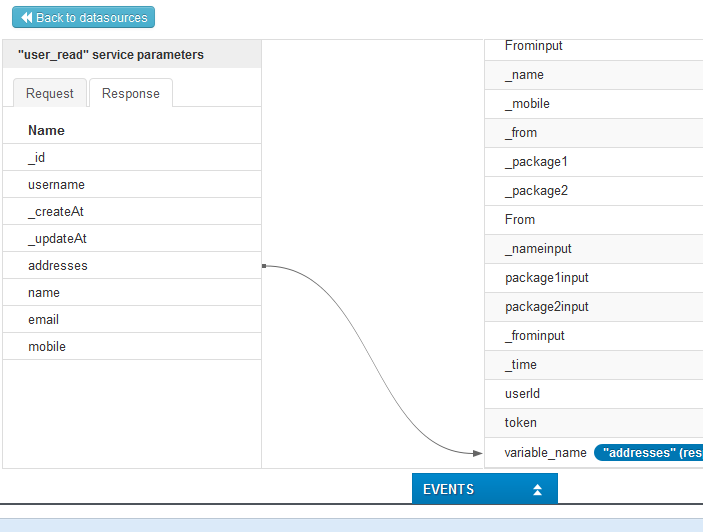
Hi Michael,
Rest Service "user_read" is not invoked because it's added on Before Load event. You should invoke the service on Load event.
On Rest Service Success event, add JavaScript Action that fills select menu with data from localStorage variable.
Hi Katya,
I changed user_read to load, I added this js on success of service
setSelectMenuOptionsForAddresses(Tiggr('addressselectmenu'), myload('variable_name'));
but app just hangs on address screen
error in console
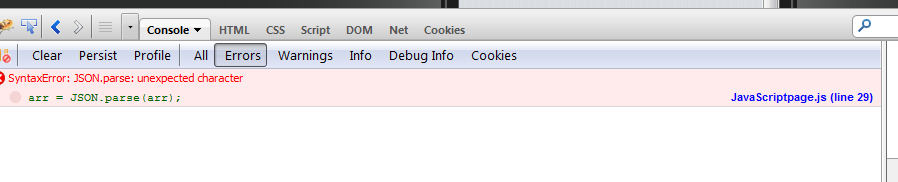
Michael,
localStorage variable "variable_name" gets value from Rest Service. The array should be saved in this variable. But due to Mapping logic ,array data is saved to localStorage variable not in JSON.
To fix this, in mapping in front of localStorage variable "variable_name" click "Add JS" and paste the following code:
codereturn JSON.stringify(value);/code
Then correct JSON array will be saved in variable.
Cheers Katya,
I had tried using that js earlier, but I did not have js set to load,
I feel that both you and I have been CRUCIFIED you on this issue, however as always you guys always rise to the challenge 
so last clarification
when I read name,email,and mobile I need to set propety on success of service
You're right.
Only after Rest Service finishes work successfully you can via set property action use data that Rest Service loaded.