Geolocation Tracking App
Posted: Wed Apr 17, 2013 1:09 pm
You have two values mapped to the same Input component, it's incorrect.
Catch up wih the Appery.io community on our forum. Here you'll find information on the lastest questions and issues Appery.io developers are discussing.
https://forum.appery.io/
You have two values mapped to the same Input component, it's incorrect.
I'm confused. Do I not need both latitude and longitude in the "inputSource" component. What's the correct mapping? Thanks Katya.
Joe,
If you want Input Source to display current address you shouldn't map latitude and longitude there. You would need to save latitude and longtitude in two localStorage variables and map address from Reverse Geocoding service to Input Source.
Ohh I see. So I should do a "test" in the "reverseGeo" service in order to map those variables to "inputSource"? Is there any visual aid you could provide for the mapping? I often need to be spoon-fed. Here's my "Geolocation" data mapping now. What do I need to do? Thanks Katya! 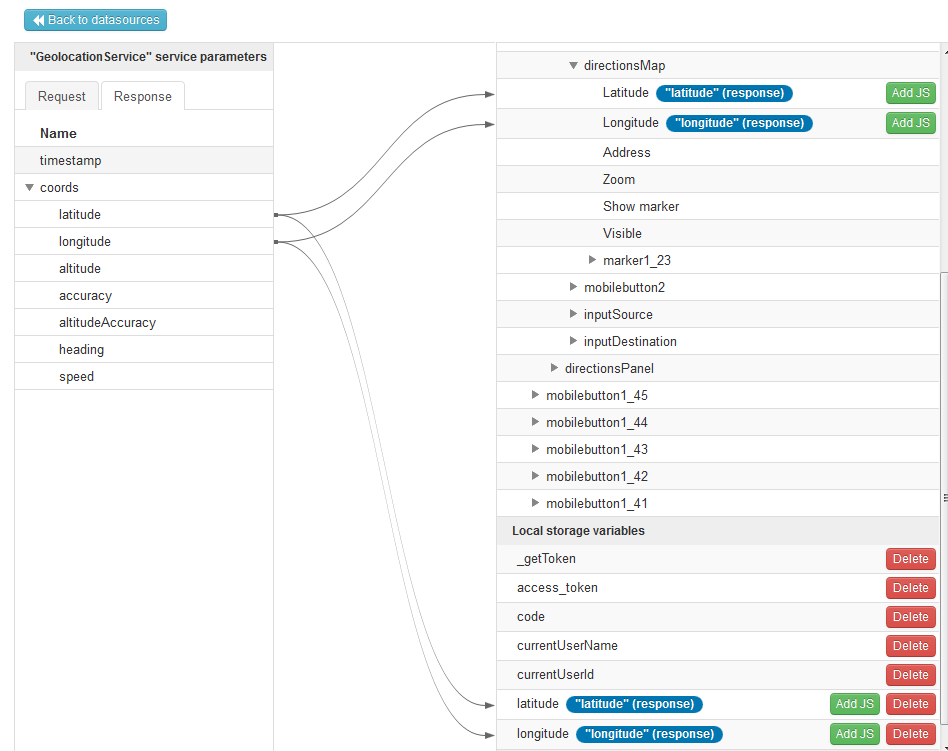
I'll try to explain from the beginning:
1) Create REST service with the following settings:
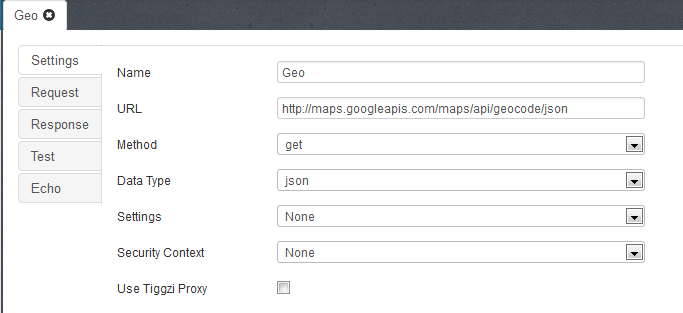
URL codehttp://maps.googleapis.com/maps/api/geocode/json/code
Method: GET
Data Type: json
2) add request parameters
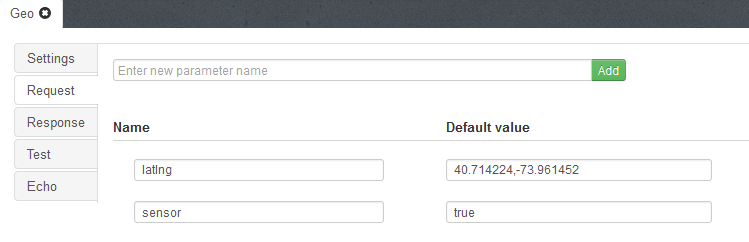
latlng: 40.714224,-73.961452
sensor: true
3) Go to Test tab, click test button to get response:
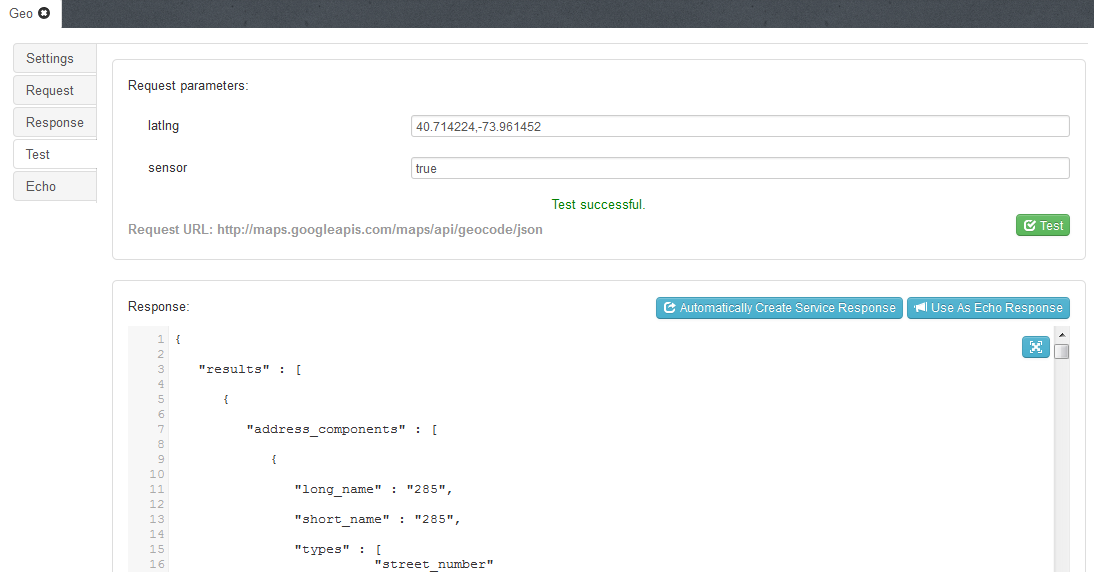
4) Click "Automatically Create Service Response", go to Response tab to see response structure. Should look like this:
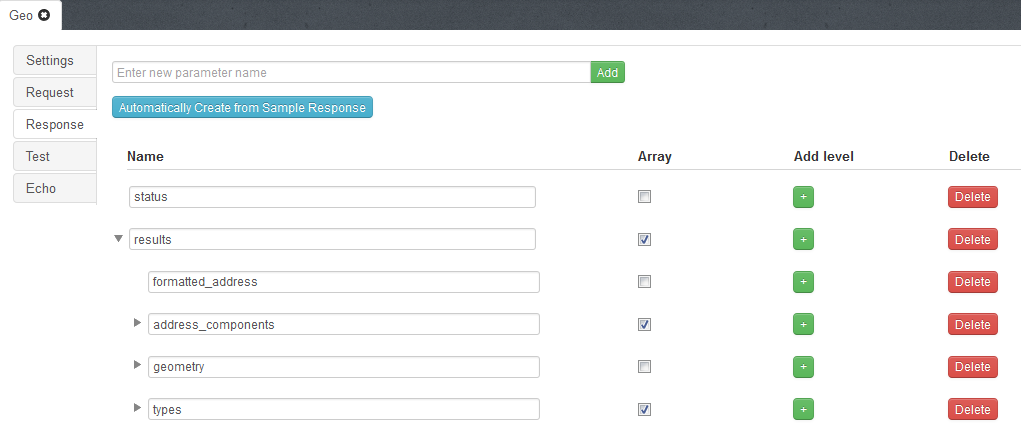
5) Add this service to screen
6) Go to mapping
7) Create mapping for request parameter latlng, map localStorage variable latitude to parameter latlng;
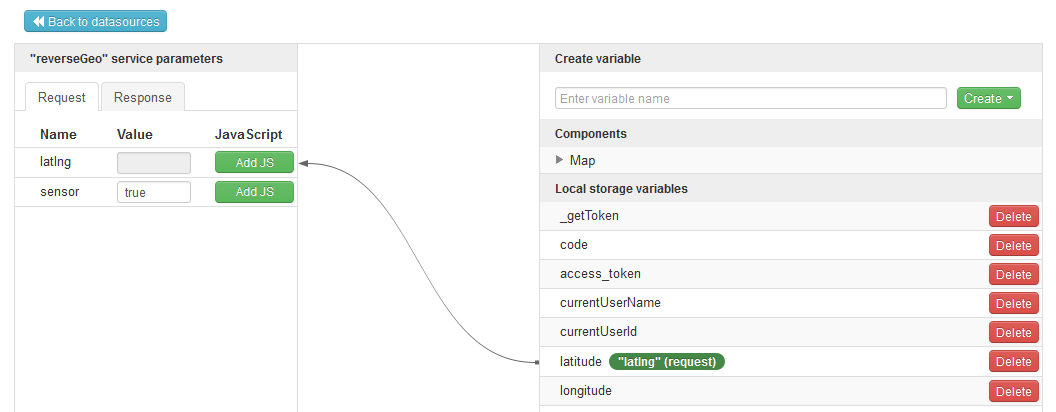
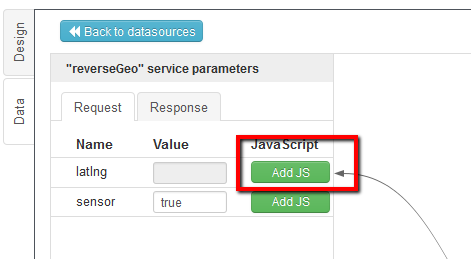
8) click "Add JS" in front of "latlng" and paste the following code:
codereturn localStorage.getItem("latitude") + ',' + localStorage.getItem("longitude");/code
9) Map Response formatted_address to textbox.
10) On success Geolocation service call created service
Thanks Marina! I had a lot of that stuff correct I think. I believe there was the slightest problem with the latlng parameter value, which was fixed with what you provided.
On step 9 you mean to map it like this, correct? 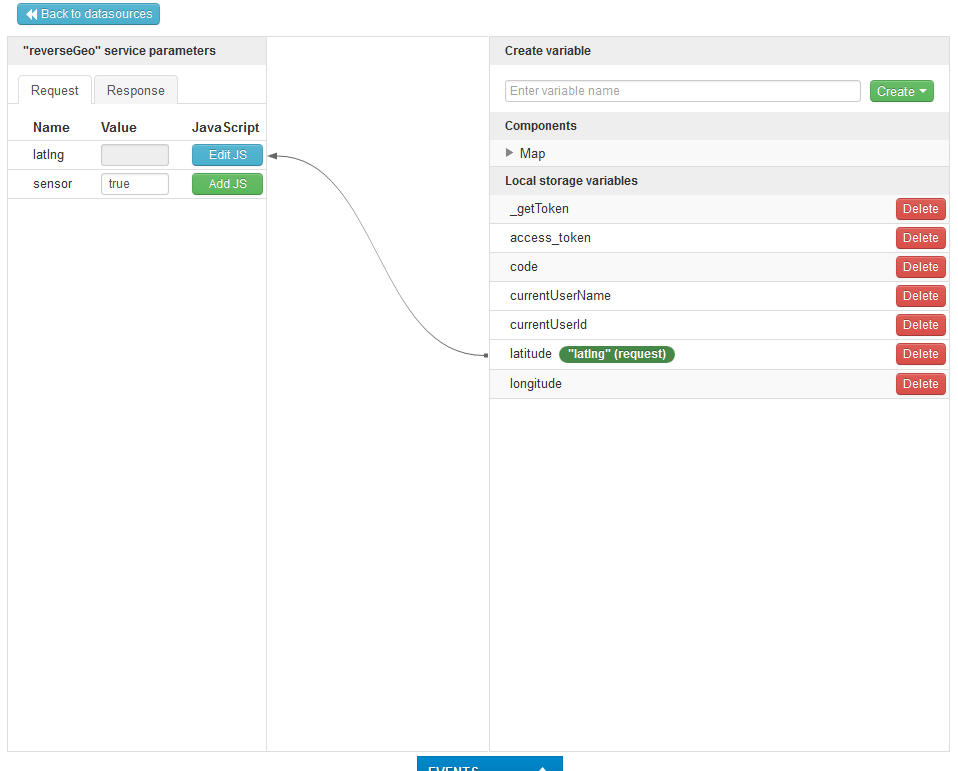
And I need to invoke the "reverseGeo" on "map" component load, right?
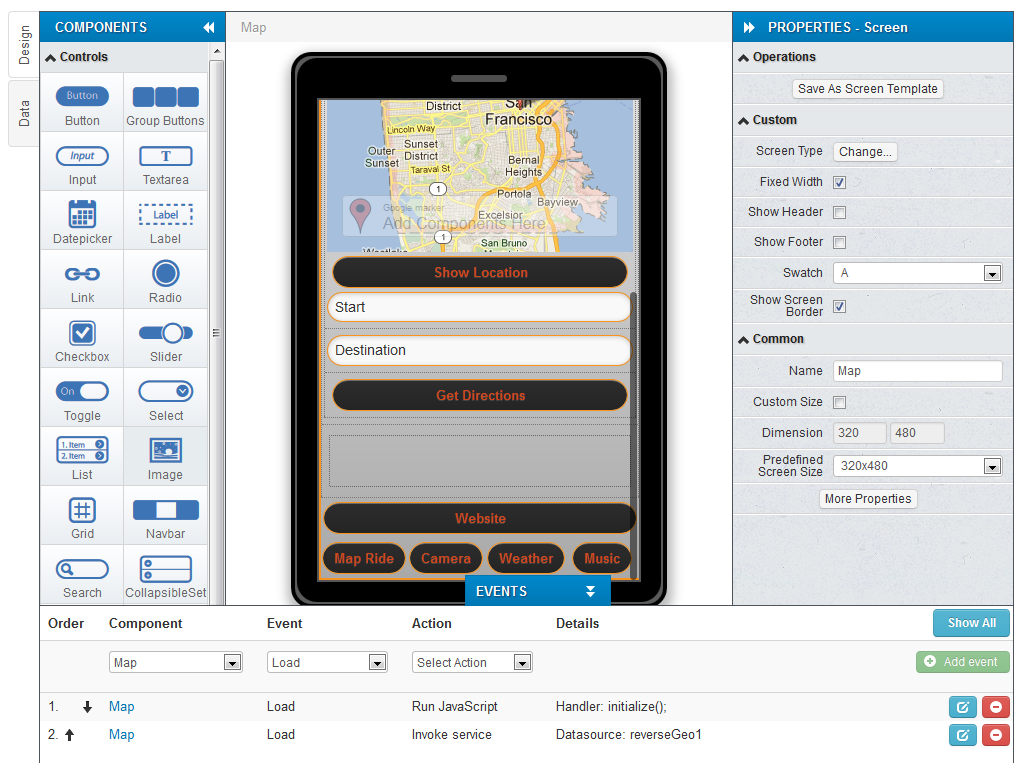
Yes, mapping looks correct. You should invoke reverseGeo service on geolocation1 success event
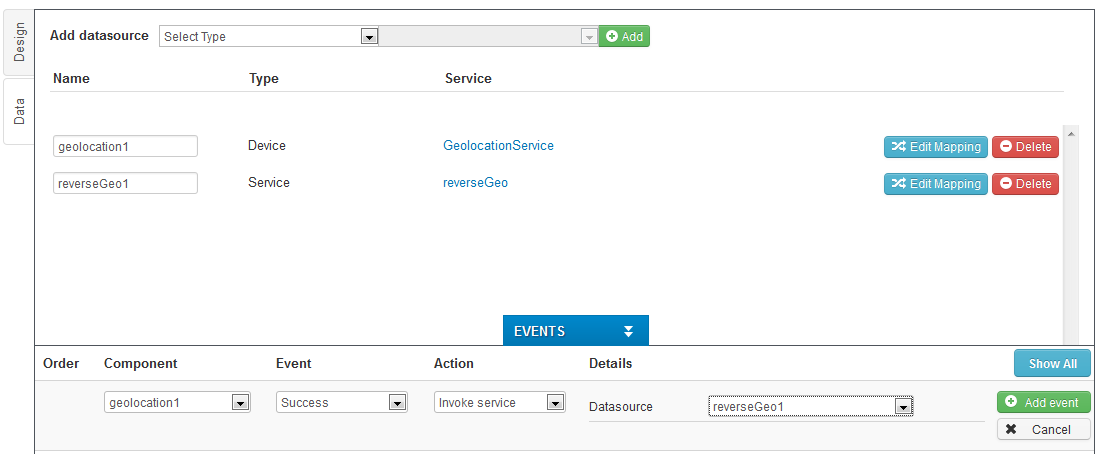
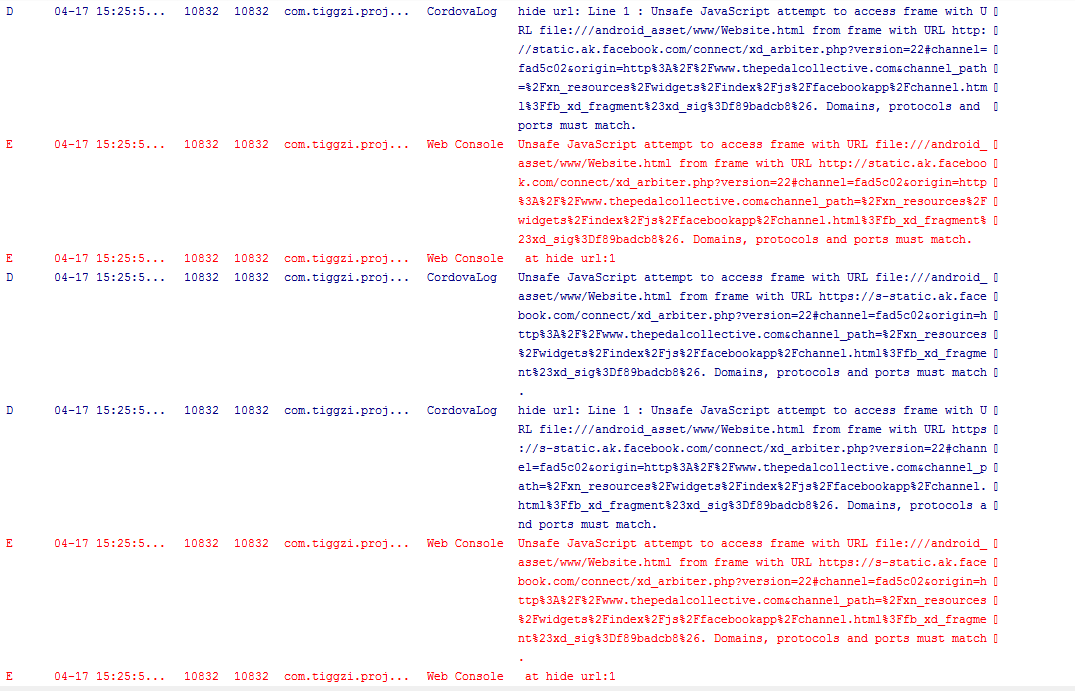
Thanks Marina! It's all set up. Except when I test it in Eclipse, I still get this error. I've included the screenshots of the log. Hopefully everything will work well after we fix this one. Thanks! 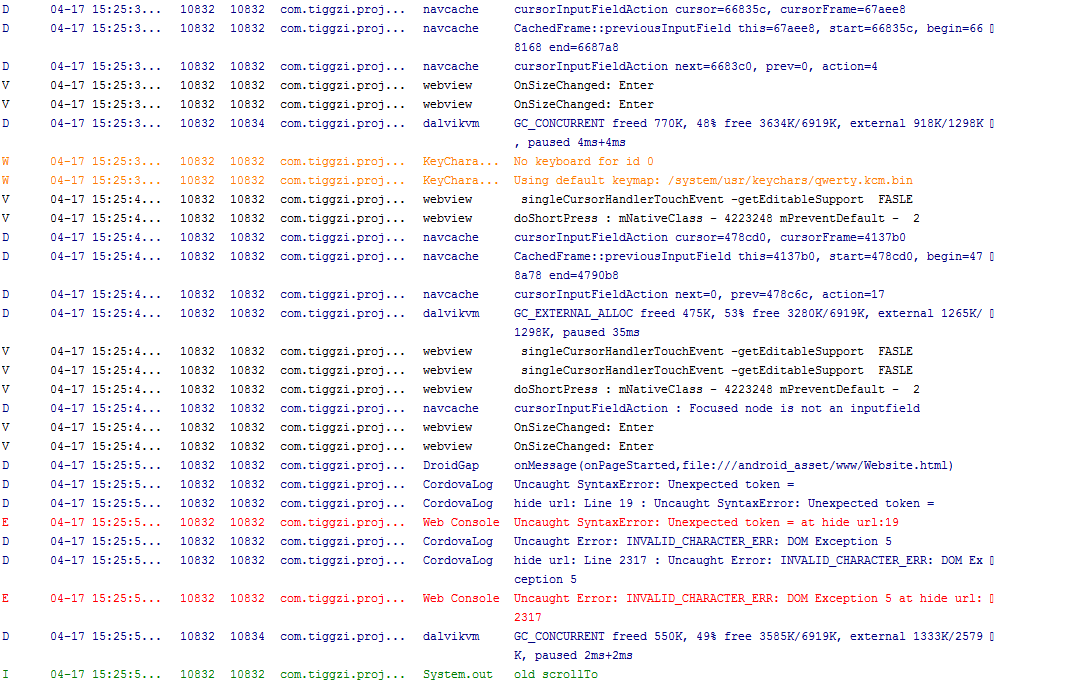
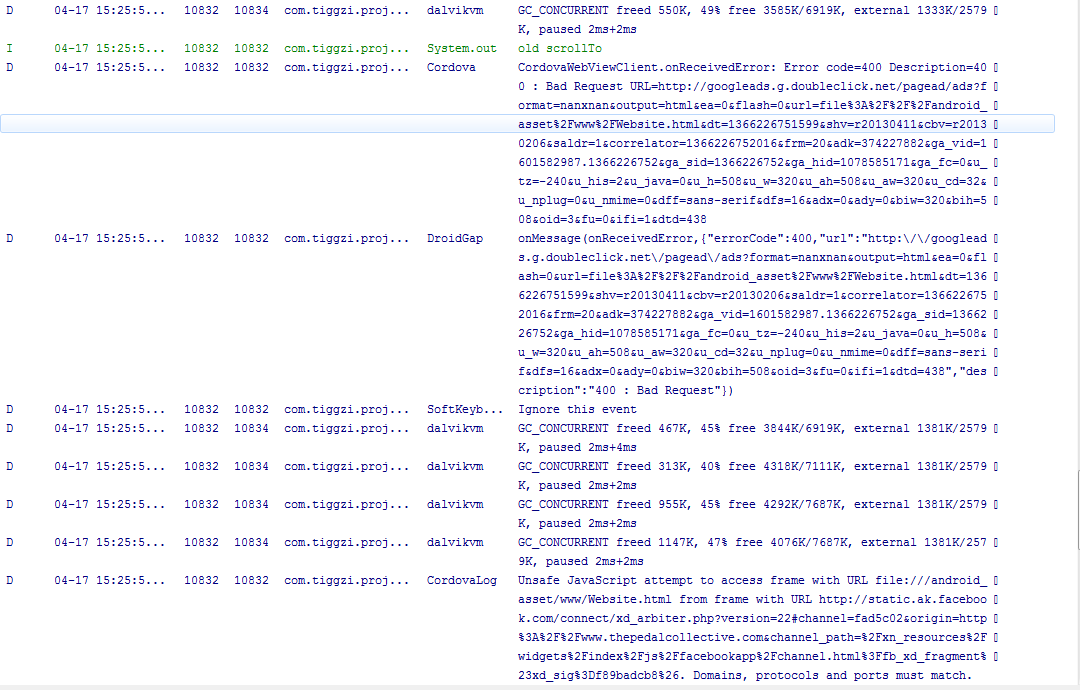
1) Change code in JavaScript1 from
codevar mapOptions = {
zoom:7,
mapTypeId: google.maps.MapTypeId.ROADMAP,
map = new google.maps.Map(document.getElementById("directionsMap"), mapOptions);
}/code
to codevar mapOptions = {zoom:7,
mapTypeId: google.maps.MapTypeId.ROADMAP};
map = new google.maps.Map(document.getElementById("directionsMap"), mapOptions);/code
2) on Website-Page show-Run JavaScript change code$("#Chat").attr("100%", the_height);/code to code$("#Chat").attr("height", the_height);/code
3) don't worry about "Unsafe JavaScript attempt to access frame with URL", you can skip it.
Thanks Marina! It's working fairly well now. The "chat" page of my mobile website in the panel on "website" page still isn't really sizing itself correctly. Not really sure why.