Page 1 of 1
Is it iframe supported by iPhone?
Posted: Thu Oct 11, 2012 10:55 am
by Arcelio J. Fetizanan Jr.
I using Panel to put this code:
<!--center
<iframe src="http://www.sample/index.html" width="200" height="50" frameborder="0" scrolling="no" </iframe
</center--
I run this code in Android phone which is pretty working but in iPhone I just see some blank space. Any help pls... thanks in advance
Is it iframe supported by iPhone?
Posted: Thu Oct 11, 2012 10:59 am
by Maryna Brodina
Hello! Could you post your code?
Is it iframe supported by iPhone?
Posted: Thu Oct 11, 2012 11:11 am
by Arcelio J. Fetizanan Jr.
<!--
Code:
<center
<iframe src="http://www.sample/index.html" width="200" height="50" frameborder="0" scrolling="no" </iframe
</center
--
Is it iframe supported by iPhone?
Posted: Thu Oct 11, 2012 1:53 pm
by Maryna Brodina
I was able to open link from panel on iPhone 4 (iOS 4.2.1). I used your code, but another url. On iPhone that link was opened in browser ones the app loads, but here is more information on how to avoid this http://stackoverflow.com/questions/11...
Is it iframe supported by iPhone?
Posted: Fri Oct 12, 2012 11:05 am
by Arcelio J. Fetizanan Jr.
Hi, sorry I'm not trying to create a link from panel what I'm trying to do is to view my image using iframe tag from the Ad page that I created
here is my example image:
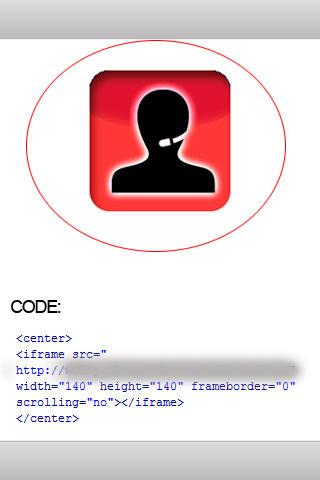
My problem is they are not displayed on the iphone
Is it iframe supported by iPhone?
Posted: Fri Oct 12, 2012 12:15 pm
by Maryna Brodina
Hello! What device and what version do you use to test? I tested with this URL http://cdn3.iconfinder.com/data/icons... and get it working on iPhone 4 (iOS 6.0)
Does it work when you test in browser (big Test button in the upper right corner)
Is it iframe supported by iPhone?
Posted: Sat Oct 13, 2012 10:32 am
by Arcelio J. Fetizanan Jr.
It seems to be the device problem right now! thanks for the help

