Page 1 of 1
tab text in textinput/placeholder
Posted: Mon Apr 22, 2013 8:01 pm
by Michael4771079
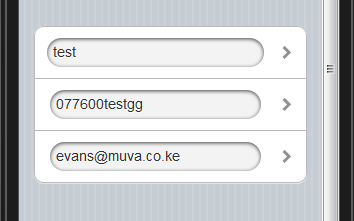
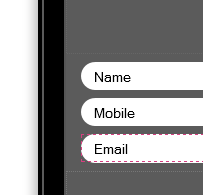
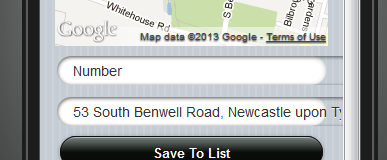
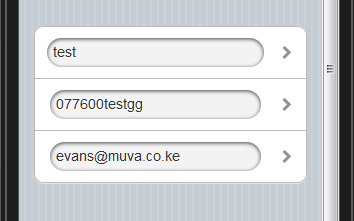
I am trying to tab the text to look like the first s/s, text position in textinput,
it currently displays as second s/s/
the textinput is populated from data base,
how do I tab the text
tab text in textinput/placeholder
Posted: Mon Apr 22, 2013 8:34 pm
by maxkatz
Are you trying to add a space before the value, inside the input field?
tab text in textinput/placeholder
Posted: Mon Apr 22, 2013 8:42 pm
by Kateryna Grynko
Hi Michael,
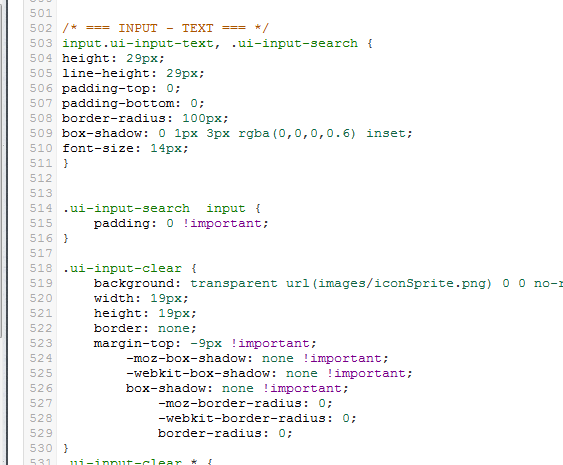
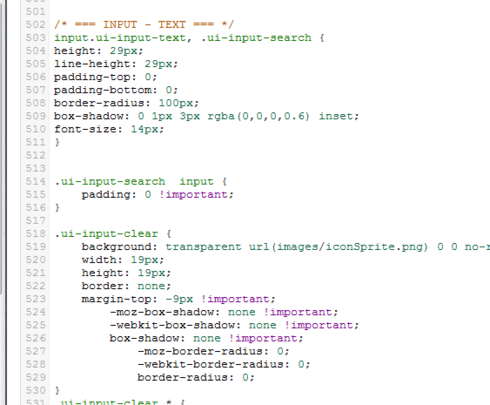
Output is set in your custom "ios" theme. To edit Input component you would need to change lines 503-511 in your theme:
code
input.ui-input-text, .ui-input-search {
height: 29px;
line-height: 29px;
padding-top: 0;
padding-bottom: 0;
border-radius: 100px;
box-shadow: 0 1px 3px rgba(0,0,0,0.6) inset;
font-size: 14px;
}/code
tab text in textinput/placeholder
Posted: Mon Apr 22, 2013 9:04 pm
by Michael4771079
Thanks for the replies,
Yes Max, I would like the text to begin at the start of the end of the curve on the input component, if that makes any sense
Katya
I replaced the code above, as s/s but it had no effect
tab text in textinput/placeholder
Posted: Tue Apr 23, 2013 6:55 am
by Maryna Brodina
Hi, try the following code instead the code Katya suggested above:
codechange lines 503-511 in your theme
input.ui-input-text, .ui-input-search {
height: 29px;
line-height: 29px;
padding: 0 15px !important;
box-sizing: border-box;
border-radius: 100px;
box-shadow: 0 1px 3px rgba(0,0,0,0.6) inset;
font-size: 14px;
}/code
tab text in textinput/placeholder
Posted: Tue Apr 23, 2013 9:37 am
by Michael4771079
Hi Marina,
thanks for the reply,
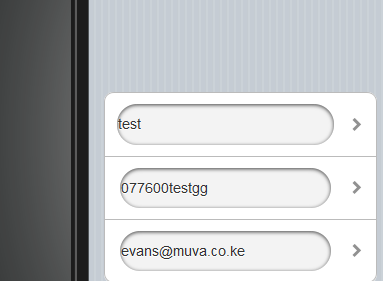
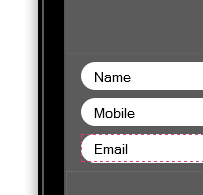
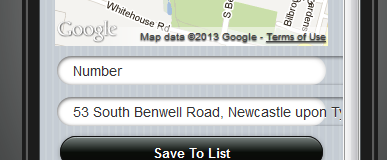
I have change css and it worked, but created this, see s/s
tab text in textinput/placeholder
Posted: Tue Apr 23, 2013 1:28 pm
by Maryna Brodina
Looks like you have old browser version. Please replace the code Katya and I suggested with the following:
codeinput.ui-input-text, .ui-input-search {
height: 29px;
line-height: 29px;
padding: 0 5px !important;
-webkit-box-sizing: border-box;
-moz-box-sizing: border-box;
box-sizing: border-box;
border-radius: 100px;
box-shadow: 0 1px 3px rgba(0,0,0,0.6) inset;
font-size: 14px;
}/code
tab text in textinput/placeholder
Posted: Tue Apr 23, 2013 2:01 pm
by Michael4771079
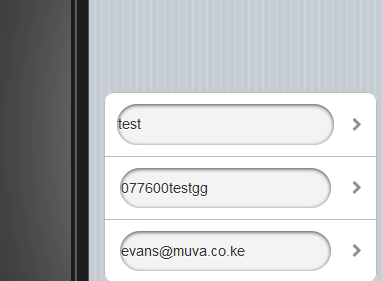
Great result Marina!
thanks alot, this is the result, back to where it was before update,