mcgrathken.kmg
Posts: 0
Joined: Sat Feb 04, 2012 6:03 pm

Drag and Drop List

Hello

I know i put this ques out before but unfortunately I am still stuck on trying to make my list Sortable via drag n drop.
As jQuery is ported with Tiggzi i tried to use this http://jqueryui.com/demos/sortable/
but with out success.
Then i tried to use https://github.com/furf/jquery-ui-tou...
but still cant get it working.
I am at this on and for 3 weeks now and tearing my hair out.
The list is created via Parse GET method.
Any suggestions would be really appreciated.
I know Max tried to help me out but this is a general question aimed for anyone here interested to help me out or have had a similar problem.

Thanks Guys
maxkatz
Posts: 0
Joined: Fri Aug 13, 2010 3:24 pm

Drag and Drop List

ol
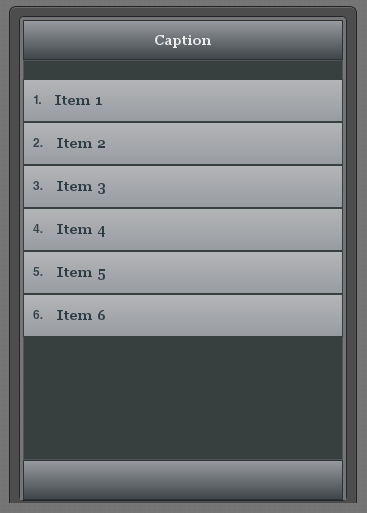
liCreate a page with a list shown, name it 'list':
Image
/li
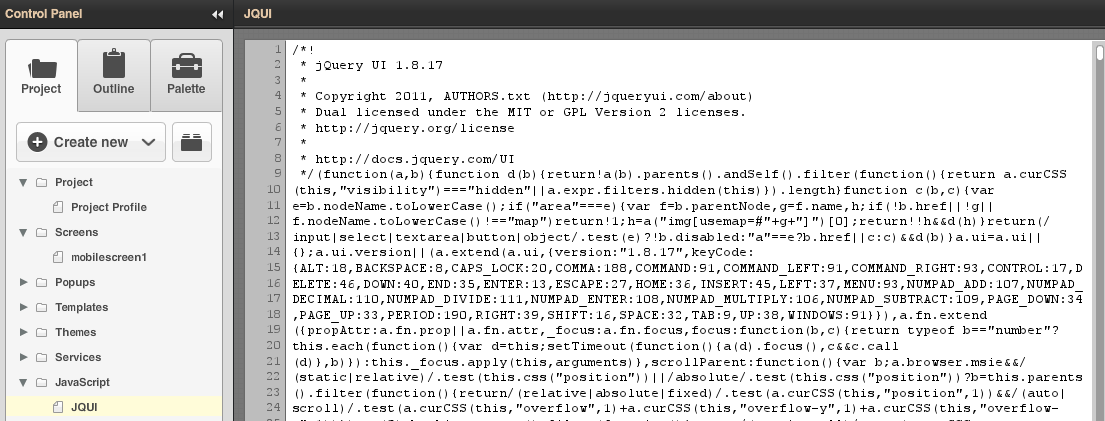
liAdd jQuery version 1.8.7 as JavaScript file (asset):

Image
/li
liAdd another JavaScript file:
code
$(function() {
Tiggr("list").sortable();
Tiggr("list").disableSelection();
});
/code
/li
liTest the app/li
/ol

maxkatz
Posts: 0
Joined: Fri Aug 13, 2010 3:24 pm

Drag and Drop List

ol
liCreate a page with a list shown, name it 'list':
Image
/li
liAdd jQuery version 1.8.17 as JavaScript file (asset):

Image
/li
liAdd another JavaScript file:
code
$(function() {
Tiggr("list").sortable();
Tiggr("list").disableSelection();
});
/code
/li
liTest the app/li
/ol

mcgrathken.kmg
Posts: 0
Joined: Sat Feb 04, 2012 6:03 pm

Drag and Drop List

Hi Max
This is very much appreciated Max. I will try this shortly and let you know.
Will this work if the list is created from a Parse Get method.
Ken

maxkatz
Posts: 0
Joined: Fri Aug 13, 2010 3:24 pm

Drag and Drop List

It works with a list, shouldn't matter how it was created.

mcgrathken.kmg
Posts: 0
Joined: Sat Feb 04, 2012 6:03 pm

Drag and Drop List

Max

Your an absolute star.
Very much appreciated.
Works like a charm.
I wasn't aware that i could add my own asset Javascript,
Hopefully it will help others.
So would the best way to update the list in Parse would be to "on success" of dropping an item to update the list via invoke the service.

maxkatz
Posts: 0
Joined: Fri Aug 13, 2010 3:24 pm

Drag and Drop List

I think any event should work

mcgrathken.kmg
Posts: 0
Joined: Sat Feb 04, 2012 6:03 pm

Drag and Drop List

Max
This works perfectly on my Android Xoom and Samsung Galaxy.
Is there any way i can implement this into Tiggzi ?
If you view the source it uses the following in the header

and then uses it by the following
$("#list").sortable();

I have added these scripts as assets and then a separate JavaScript using
$(function() { Tiggr("list").sortable();
Tiggr("list").disableSelection(); });

do you know what i'm doing wrong.

folks here

http://stackoverflow.com/questions/46... on-ipad-touchdevices

says that this will work on Motorola Xoom with Android 3.2 which is what i am testing it on.

Thanks Max

mcgrathken.kmg
Posts: 0
Joined: Sat Feb 04, 2012 6:03 pm

Drag and Drop List

sorry max i forgot to add the link to the source

http://furf.com/exp/touch-punch/sorta...

it says on http://furf.com/exp/touch-punch/
to add touch events, just include the jquery.ui.touch-punch.min.js script after your jquery.ui scripts.

how to do i know which script is executed first in Tiggzi or can I add them in order.
Obviously jQuery needs to load first before touch-punch in order to work properly.
Thanks Max

maxkatz
Posts: 0
Joined: Fri Aug 13, 2010 3:24 pm

Drag and Drop List

The scripts will be executed in order you define in Project Project Profile Resources and then any scripts defined in JavaScript file (from Create New... JavaScript).

Return to “Issues”